GitHub changes the guard! Migrate branch protections in bulk
GitHub announced a tool to convert all of a repository's classic branch protection rules to rulesets in a single operation. The update helps manage collaboration, review and change restriction policies at a larger scale. Owners can review the conversion results before applying them and decide what to do with the previous configurations.
Less repetitive work to maintain rules. Software teams often protect important branches to prevent unreviewed changes, require checks and avoid accidental modifications. GitHub already offered an option to convert individual protections to rulesets, and it has now expanded the process to import all of a repository's rules at once.
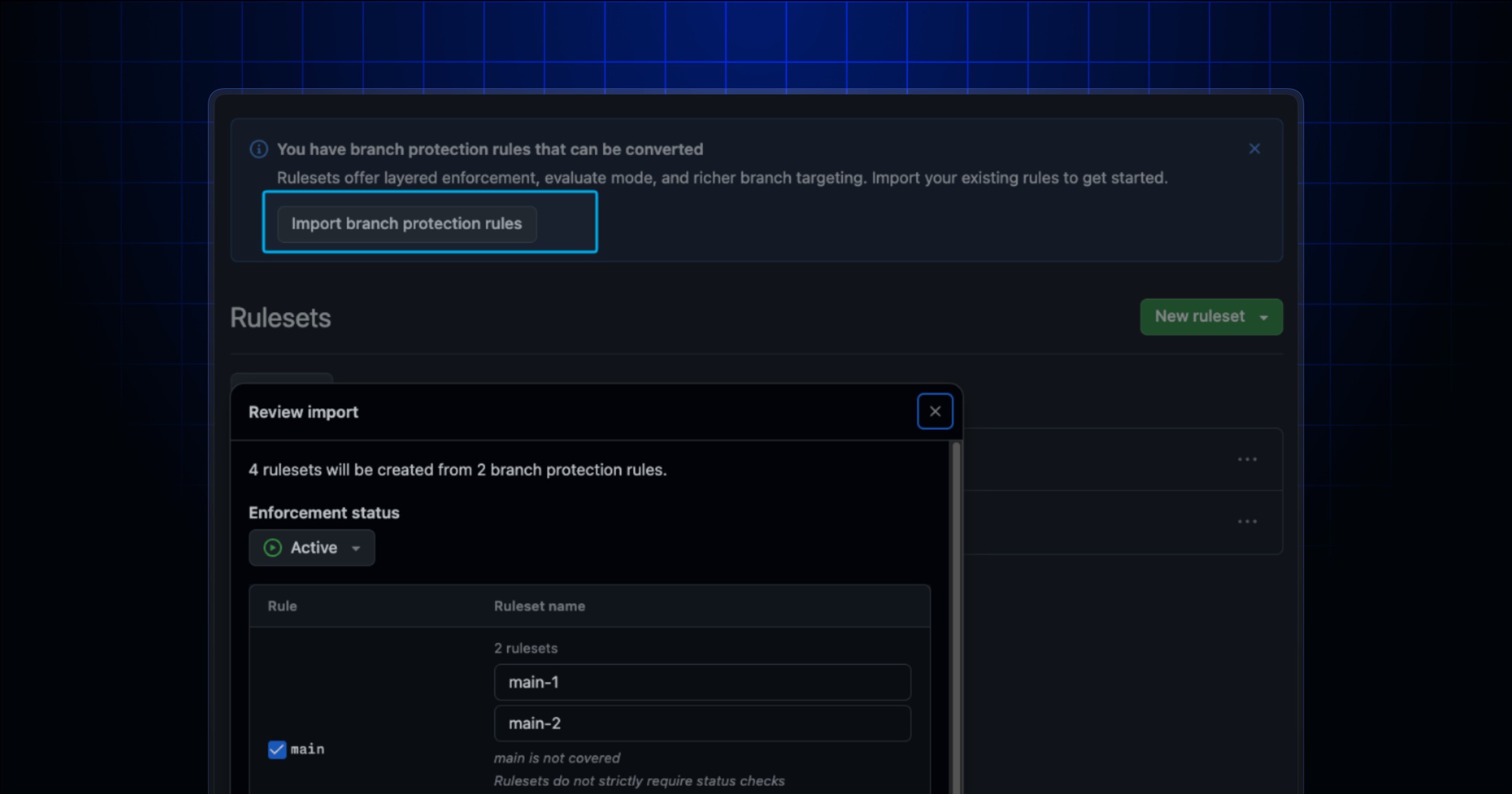
A migration with a preview. From Settings and the Rulesets section, administrators can select the protection import. The interface shows the proposed rulesets, warns when a rule is already covered and flags cases where an existing protection needs to be split to preserve its behavior. It also lets you select the enforcement status of each rule: active, evaluate or disabled.
Why it matters for DevOps. Rulesets support matching across multiple branches, overlapping policies, organization-level controls and more detailed bypass permissions. The tool does not mean that all organizations should immediately delete their old rules: GitHub lets you keep or remove them after the migration. It is advisable to carefully review the generated policies to avoid disrupting contribution workflows.